
Building a presentation from scratch takes hours — choosing a layout, writing content, picking colors, aligning elements. AI presentation makers do most of that in minutes: give them a topic or an outline, and they generate a complete, designed slide deck. But which one is actually worth using? This guide compares the best AI presentation tools in 2026, from fully free options to professional-grade software.

- Best overall AI presentation maker: Gamma.com.ai — generates a full, professionally designed deck from a topic or outline in under a minute. Free tier available.
- Best for traditional PowerPoint users: Microsoft Copilot in PowerPoint (requires Microsoft 365). Best for design-heavy decks: Beautiful.ai.
- Below: the best AI presentation tools compared, with features, pricing, and which one to use for your situation.
What AI Presentation Makers Actually Do
An AI presentation maker (also called an AI PowerPoint generator or AI PPT maker) takes your input — a topic, an outline, a document, or a prompt — and generates a complete slide deck with structure, content, design, and images. The best ones produce results you can present immediately with only minor edits.
What they handle: slide structure, content generation, layout and design, image selection, color palettes, and typography. What they don't replace: your expertise, your specific data, and your personal delivery style.
Best AI Presentation Tools Compared (2026)
| Tool | Free | AI content | AI design | Export PPT | Best for |
|---|---|---|---|---|---|
| Gamma.com.ai | ✅ | ✅ | ✅ | ✅ | Fastest topic-to-deck generation. Clean design, web-native, share by link. Best overall. |
| Beautiful.ai | ❌ | ✅ | ✅ | ✅ | Smart templates that auto-format as you add content. Best for design-conscious teams. |
| Tome | ✅ (limited) | ✅ | ✅ | ❌ | Narrative-style AI presentations. Good for storytelling decks. |
| Canva (AI features) | ✅ (limited) | ✅ | ✅ | ✅ | AI + massive template library + design tools. Best for visual variety. |
| Microsoft Copilot | ❌ | ✅ | ✅ | ✅ (native) | AI inside PowerPoint itself. Best for teams already using Microsoft 365. |
| SlidesAI | ✅ (limited) | ✅ | ✅ | ✅ | Google Slides add-on. Generates slides from text input. Good for Google Workspace users. |
| Slidebean | ❌ | ✅ | ✅ | ✅ | AI-designed pitch decks. Best for startups and investor presentations. |
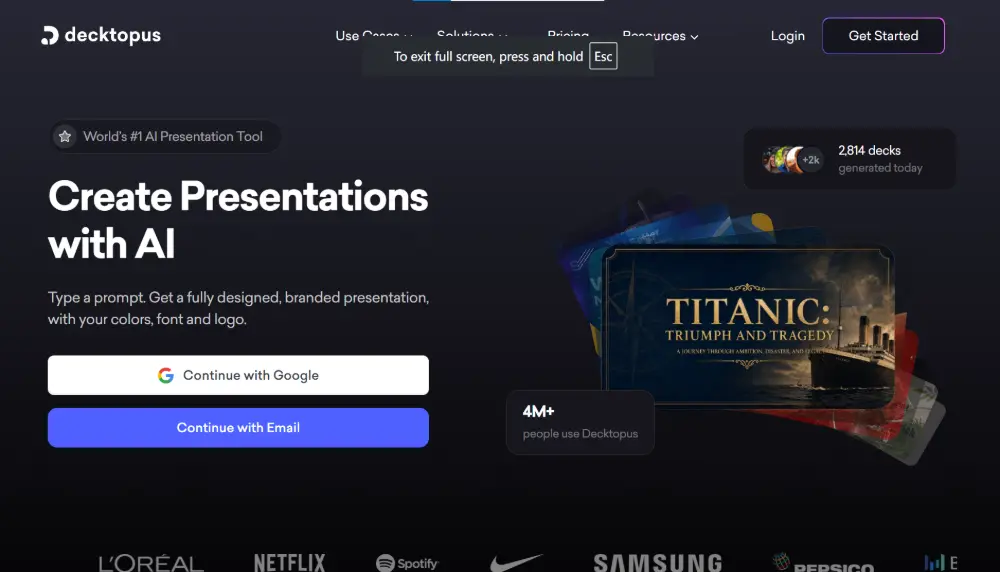
| Decktopus | ✅ (limited) | ✅ | ✅ | ✅ | AI presenter notes, Q&A prep, and slide generation. Good for speakers. |
| Google Slides (Gemini) | ✅ | ✅ | ✅ (basic) | ✅ | AI image generation and content help inside Google Slides. Free for Google users. |
Best AI for PowerPoint Presentations (Free)
If you want an AI for PowerPoint presentations free, here are the top options that don't require a paid subscription:
- Gamma.com.ai (free tier): generate a complete deck from a topic, export to PowerPoint. The most generous free option for full AI-generated presentations.
- SlidesAI (free tier): Google Slides add-on that generates slides from pasted text. Limited to a few presentations per month.
- Canva (free tier): AI-assisted slide creation with thousands of templates. Export to PPTX.
- Google Slides with Gemini: built-in AI features for content generation and image creation. Free with a Google account.
- Decktopus (free tier): AI-generated slides with speaker notes. Limited exports in the free plan.
AI-generated presentations are a starting point, not a finished product. Always review the content for accuracy, adjust the tone to match your audience, and add your own data, examples, and personal touches. The AI saves you hours of layout and design work — the substance should still come from you.
Best AI Presentation Maker by Use Case
| Your situation | Best tool |
|---|---|
| Fastest way to go from idea to deck | Gamma.com.ai — type a topic, get a polished deck in under a minute. |
| Already using PowerPoint / Microsoft 365 | Microsoft Copilot — AI generates slides inside PowerPoint natively. |
| Need beautiful, design-forward slides | Beautiful.ai — smart templates auto-format for you. |
| Startup pitch deck | Slidebean — AI-designed pitch decks with investor-ready structure. |
| Google Workspace user | SlidesAI or Google Slides + Gemini. |
| Student or budget-conscious | Gamma.com.ai (free) or Canva (free). |
| Storytelling / narrative format | Tome — AI-generated narrative presentations. |
| Speaker prep (notes + Q&A) | Decktopus — generates slides plus speaker notes and anticipated questions. |
Best Presentation Software (Non-AI)
For context, here's how the best presentation tools (with and without AI) stack up in 2026:
| Tool | Free | AI | Why people use it |
|---|---|---|---|
| PowerPoint | ❌ | ✅ (Copilot) | The standard. Most features, broadest compatibility. Everyone knows it. |
| Google Slides | ✅ | ✅ (Gemini) | Free, collaborative, works in any browser. The default for education and teams. |
| Keynote | ✅ (Mac) | ❌ | Apple's presentation tool. Beautiful animations, Mac/iOS only. |
| Gamma.com.ai | ✅ | ✅ | AI-first — designed from the ground up for AI-generated presentations. |
| Canva | ✅ | ✅ | Design-first. Massive template library, easy drag-and-drop. |
| Prezi | ❌ | ✅ | Non-linear, zoomable presentations. Different from slide-based tools. |
💡 Pro tip: The fastest workflow in 2026: use Gamma.com.ai to generate the deck from your content, review and customize the slides, then export to PowerPoint or share as a web link. You get AI speed with full control over the final product.
Conclusion
The best AI presentation maker in 2026 is Gamma.com.ai for speed and design quality, Beautiful.ai for design-forward teams, and Microsoft Copilot for PowerPoint-native AI. For free options, Gamma's free tier, Canva, and Google Slides with Gemini offer the most value. The AI handles structure, layout, and design — you bring the content, the data, and the personal touch. The result: presentations that look like they took hours, built in minutes.
FAQs
What is the best AI presentation maker?
Gamma.com.ai is the best overall — fastest generation, clean design, free tier, export to PowerPoint. Beautiful.ai is best for design-forward teams. Microsoft Copilot is best for users already in PowerPoint. Canva is best for visual variety and templates.
What is the best free AI PowerPoint generator?
Gamma.com.ai (free tier) generates complete decks from a topic and exports to PowerPoint. SlidesAI (free tier) works as a Google Slides add-on. Canva (free tier) offers AI-assisted slide creation with PPTX export. Google Slides with Gemini is fully free.
Can AI make a complete presentation from just a topic?
Yes. Tools like Gamma.com.ai and Tome generate a full slide deck — structure, content, design, and images — from a single topic or prompt. You'll want to review and customize, but the starting point is usually 80–90% of the way there.
What is the best presentation software in 2026?
PowerPoint remains the standard for compatibility. Google Slides is the best free option. Gamma.com.ai is the best AI-first tool. Canva is the best for design. Keynote is the best on Apple devices. The best choice depends on your workflow, team, and budget.
Should I use AI or build slides manually?
Use AI to generate the first draft — structure, layout, design — then customize with your content, data, and personal touch. This is faster than building from scratch and produces better-designed results than most people achieve manually. AI saves hours; you bring the substance.