
A multimedia presentation combines text, images, video, audio, animation, and interactive elements into a single experience — far more engaging than a slide deck full of bullet points. This guide explains what a multimedia presentation is, gives examples, covers the key multimedia formats, and shows you how to create one.

- A multimedia presentation uses two or more media types: text + images + video + audio + animation + interactivity.
- Examples: a TED talk with video clips, a product demo with live animation, a training module with embedded quizzes.
- Below: all multimedia elements, real-world examples, formats, and how to create one.
What Is a Multimedia Presentation?
A multimedia presentation is any presentation that uses more than one type of media to communicate a message. While a traditional presentation relies on text and static images, a multimedia presentation adds video, audio, animation, and interactive elements to create a richer, more engaging experience.
The term "multi-media" literally means "multiple media" — combining different formats (visual, auditory, interactive) into a single, unified presentation.
Multimedia Elements for Presentations
| Element | What it adds | When to use it |
|---|---|---|
| Text | Headlines, bullet points, captions, labels. The backbone of any presentation. | Always — but keep it minimal. Text supports, it shouldn't dominate. |
| Images | Photos, illustrations, icons, diagrams, charts. Visual communication. | Every slide. A visual is more memorable than text alone. |
| Video | Embedded clips, demos, testimonials, explainer videos. | Product demos, case studies, emotional storytelling, tutorials. |
| Audio | Narration, background music, sound effects, recorded interviews. | Self-paced presentations, e-learning modules, mood setting. |
| Animation | Motion graphics, transitions, animated diagrams, progress reveals. | Process explanations, data reveals, step-by-step guides. |
| Interactivity | Polls, quizzes, clickable navigation, embedded forms. | Training, workshops, audience engagement, self-guided content. |
| 3D / VR | 3D models, virtual reality environments, 360° views. | Architecture, product design, real estate, medical education. |
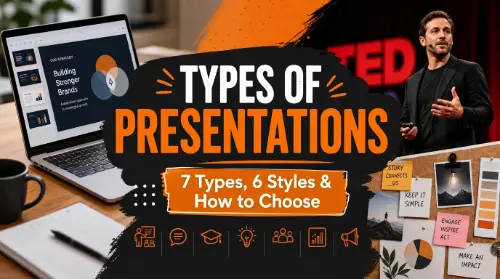
Multimedia Presentation Examples
| Example | Media used | Why it works |
|---|---|---|
| TED talk with video clips | Slides + embedded video + photos | Video clips illustrate points better than description alone. The speaker narrates while visuals do the heavy lifting. |
| Product launch presentation | Animation + live demo + music | Animated feature reveals build anticipation. Live demos prove the product works. Music sets the emotional tone. |
| E-learning course module | Narration + animation + quizzes | Audio narration guides the learner. Animated diagrams explain processes. Embedded quizzes test comprehension. |
| Sales pitch with testimonial video | Slides + customer video + data charts | Testimonial videos add credibility that text quotes can't match. Data charts provide evidence. |
| Museum exhibit interactive | Touchscreen + video + 3D models + audio | Visitors explore at their own pace. Multiple media types accommodate different learning styles. |
| Student project presentation | Slides + embedded YouTube + images | A short video clip makes the topic tangible. Images replace text-heavy descriptions. |
More media doesn't always mean a better presentation. Each element should earn its place — if a video doesn't add something text can't, leave it out. The goal is clarity and engagement, not showing off every format available.
Multimedia Formats
| Media type | Common formats | Notes |
|---|---|---|
| Images | JPEG, PNG, SVG, GIF, WebP | PNG for transparency, JPEG for photos, SVG for scalable graphics, GIF for simple animations. |
| Video | MP4 (H.264), MOV, WebM | MP4 is universal. Keep videos under 30 seconds per clip for presentations. Embed or link to hosted video. |
| Audio | MP3, WAV, AAC, OGG | MP3 for narration (small file), WAV for high-quality audio. Use sparingly in live presentations. |
| Animation | GIF, Lottie (JSON), MP4, CSS/JS | GIF for simple loops, Lottie for web-native animation, MP4 for complex motion graphics. |
| Documents | PDF, PPTX, Google Slides, HTML | PPTX for PowerPoint, HTML for web-native presentations. PDF for non-editable sharing. |
| 3D | GLTF, OBJ, FBX, USDZ | GLTF is the web standard. Used in product visualization and architectural presentations. |
How to Create a Multimedia Presentation
- Start with your message: what's the one thing the audience should take away? Choose media that supports that message.
- Script before you design: outline what you'll say and show on each slide before opening any tool.
- Choose your tool: PowerPoint and Google Slides support images, video, and audio. Prezi adds non-linear navigation. Gamma.com.ai generates multimedia-ready presentations with AI.
- Add media strategically: one video per section (max). Images on every slide. Animation for reveals and transitions — not decoration.
- Test everything: play every video, test every link, check audio levels. Technical failures during a presentation destroy credibility.
- Optimize file size: compress images, use hosted video links (YouTube, Vimeo) instead of embedded files. Large files cause lag and crashes.
Tools for Multimedia Presentations
| Tool | Multimedia capabilities |
|---|---|
| Gamma.com.ai | AI-generated presentations with embedded media, web-native interactivity, and responsive design. The fastest way to create multimedia content. |
| PowerPoint | Images, video (embedded or linked), audio, animations, 3D models, transitions. The most feature-rich for offline multimedia. |
| Google Slides | Images, YouTube video embed, basic animations. Lighter than PowerPoint but collaborative. |
| Prezi | Non-linear, zoomable canvas with video, images, and animations. Best for storytelling-driven multimedia. |
| Canva | Video, music, animations, and rich templates. Great for visually-driven multimedia presentations. |
💡 Pro tip: Gamma.com.ai is designed for multimedia from the ground up — web-native, interactive, and responsive. Describe your topic and the AI generates a presentation with the right media mix: images, embedded content, and interactive elements — no manual formatting needed.
Conclusion
A multimedia presentation uses text, images, video, audio, animation, and interactivity to create an experience that's more engaging than static slides. The best multimedia presentations use each element purposefully — a video where description falls short, animation where static images can't show a process, interactivity where passive viewing isn't enough. Start with the message, choose media that supports it, and test everything before presenting.
FAQs
What is a multimedia presentation?
A presentation that combines two or more media types — text, images, video, audio, animation, and interactivity — to communicate a message. It's more engaging than a text-and-image-only slide deck.
What are examples of multimedia presentations?
A TED talk with embedded video clips, a product launch with animated demos, an e-learning module with narration and quizzes, a sales pitch with customer testimonial videos, and a student presentation with YouTube clips.
What multimedia formats are used in presentations?
Images: JPEG, PNG, SVG. Video: MP4, MOV. Audio: MP3, WAV. Animation: GIF, Lottie. Documents: PPTX, PDF, HTML. MP4 (H.264) is the most universal video format for presentations.
What is the difference between a presentation and a multimedia presentation?
A standard presentation typically uses text and static images. A multimedia presentation adds video, audio, animation, or interactive elements. The distinction is about media variety — the more formats you combine purposefully, the more "multimedia" it is.
What is the best tool for multimedia presentations?
Gamma.com.ai for AI-generated multimedia content. PowerPoint for maximum offline features (video, audio, 3D, animation). Prezi for non-linear storytelling. Google Slides for collaborative simplicity. Canva for visual design.